
Most American families have thousands of photos scattered across phones, cloud accounts, old laptops, and external drives. The problem is rarely a lack of pictures. The problem is that years from now the children will not know where to look, which copy is the good one, or how the folders relate to one another. This guide shows how to build a family photo archive that remains findable by the next generation without requiring perfect discipline every week.
I am Eric Holt. In our Greensboro house we maintain a simple archive that combines cloud libraries, a local NAS copy, and a clear folder structure that both adults understand. I have also helped families turn years of scattered images into something their children will be able to navigate later. The method below favors clarity and redundancy over elaborate tagging systems that only one person ever maintains.
The goal is an archive that survives the original organizer and still makes sense to a twenty-five-year-old who simply wants to find pictures from a particular year or event.
Why Most Family Photo Collections Become Unfindable
Three patterns appear repeatedly:
Photos live in multiple clouds and devices with no single place designated as the archive of record.
Folder names and album titles make sense only to the person who created them (“Misc 2019,” “Phone dump,” “New folder (3)”).
There is no written explanation of how the system works, so when the primary organizer is unavailable the collection becomes a black box.
A usable family photo archive solves those three problems with structure, redundancy, and a short plain-language note that travels with the files.

The 15-Minute Version
If you have only fifteen minutes today:
Choose one existing location that already holds a large number of family photos (Google Photos, iCloud, or an external drive).
Create a top-level folder or album set named with the family name and the word “Archive” (for example, “Holt Family Photo Archive”).
Inside it create four year folders for the most recent years.
Move or copy one recent event’s photos into the correct year folder.
Write a single sentence on a note: “Primary family photo archive lives here; yearly folders contain the keepers.”
That short start establishes the container and the naming pattern. Everything else can be added later.
The Core Structure That Stays Understandable
A structure that children can navigate years later is deliberately simple:
One top-level archive container clearly named with the family name.
Year folders (2020, 2021, 2022\ldots) as the primary organization.
Inside each year, event or month folders with plain names: “2023-06 Emma Graduation,” “2024-12 Christmas,” “2022 Summer Beach.”
A small number of special folders at the top level for people or themes that span many years (“Grandparents,” “House History,” “Kids Growing Up”) if the family wants them.
Avoid deep nesting. Avoid clever codes. Avoid names that require insider knowledge. The test is whether a relative who has never seen the system can open the archive and locate a specific birthday within two or three clicks.
Where the Files Actually Live (Redundancy Without Chaos)
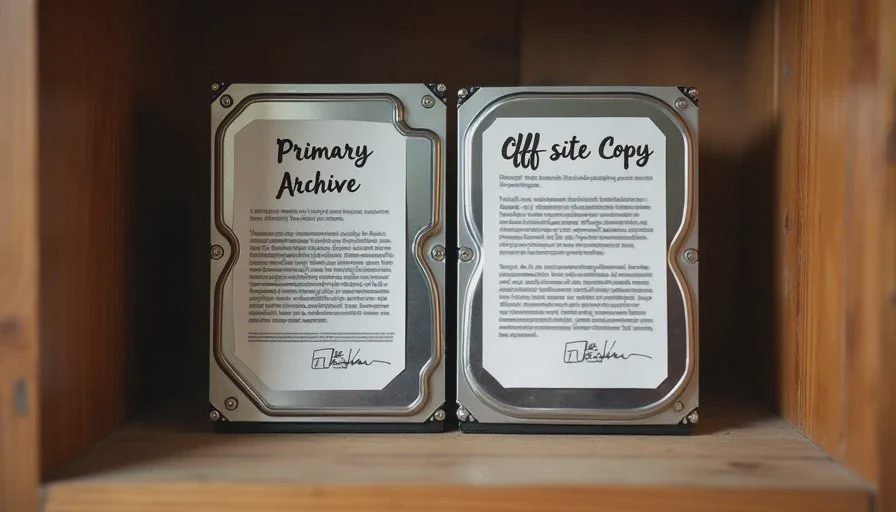
The archive needs at least two copies in different places. In our house the arrangement looks like this:
Working libraries remain on the phones and in Google Photos / iCloud for daily convenience.
A curated “keepers” copy lives on the NAS in the year/event folder structure described above.
A third copy of the NAS archive is periodically written to an encrypted external drive stored off-site.
Families without a NAS can use a dedicated external drive as the curated archive and a second external drive or a cloud service as the off-site copy. The exact technology matters less than the existence of two independent copies and a clear designation of which one is the archive of record.
Time, Cost, Difficulty, and Risk
Time: Establishing the top-level structure and moving one or two years of keepers usually takes two to four focused hours. Ongoing addition of new events takes only a few minutes if done soon after the photos are taken. A yearly review to confirm both copies still exist takes under an hour.
Cost: Near zero if you already pay for cloud storage and own an external drive. A second drive for off-site storage is a modest one-time expense.
Difficulty: Suitable for any adult who can create folders and copy files. No specialized photo software is required for the basic system.
Risk: The main risk is creating a structure so elaborate that only one person understands it. The second risk is letting the curated archive fall months behind the working libraries so that the “official” copy is no longer trusted.
Who in the household can maintain it? One adult can own the curated archive. The other adult and older children should know where it lives and how the year/event folders work so the system survives the primary organizer.
Practical Habits That Keep the Archive Alive
Three low-effort habits prevent the collection from drifting back into chaos:
After any major event, select the keepers within a week and drop them into the correct year/event folder in the archive. Do not wait for a yearly clean-up.
Once a year, confirm that the off-site copy still opens and contains recent years.
Keep a one-page plain-language note (digital and printed) that explains: where the primary archive lives, how the folders are named, and where the off-site copy is stored. Update the note only when the locations change.
These habits are modest on purpose. Elaborate monthly rituals tend to be abandoned.
What to Do with the Inevitable Duplicates and Near-Duplicates
Duplicates will appear. The practical rule is: the curated archive holds the chosen keepers; the working phone libraries and original cloud uploads can retain extras until storage pressure forces a clean-up. When you do clean, delete from the secondary locations only after confirming the keeper exists in the archive. Never delete the only copy of a photo you still care about.
Facial-recognition albums and automated “memories” features are convenient for daily browsing but should not be treated as the permanent organizational system. They depend on specific software and accounts that may not exist in the same form twenty years from now. Year and event folders remain readable regardless of platform.
Passing the Archive to the Next Generation
The archive is not finished until a younger family member can open it without help. At some point walk an older child or young adult through the top-level folder, the year structure, and the location of the off-site copy. Let them find a specific event on their own. That short orientation is more valuable than any technical sophistication.
Include the one-page explanation note in the same physical or digital place as the off-site drive. Future family members will thank you for the plain sentences more than for any clever naming scheme.
A Real Household Example
A family I worked with had fourteen years of photos spread across two Google accounts, one iCloud library, three old laptops, and a drawer of USB drives. We created a single “Family Photo Archive” folder on a new external drive, built year folders, and spent three Saturday mornings moving keepers from the most recent seven years into the structure. A second identical drive was updated and given to a sibling who lives in another state. A one-page note explained the system. Two years later the original organizer became seriously ill; the sibling was able to locate and share specific photos for a memorial gathering within minutes. The structure did its job precisely because it was simple enough to understand under stress.
The same outcome is available to any household willing to designate one archive of record, use plain year and event names, and keep a second copy somewhere else.
What This Method Deliberately Avoids
It does not require perfect tagging of every person in every photo. It does not demand that all original phone dumps be deleted. It does not rely on a single cloud provider remaining in business forever. Those approaches create fragility. The method stays focused on a clear, redundant, plainly named collection of keepers that a future adult can open and understand.
Closing the Loop
A family photo archive that children can actually find is less about software and more about three decisions: one designated place for keepers, plain year-and-event folder names, and a second copy stored separately. Add a short written explanation and the system becomes legible to people who were not present when it was created.
Start with the fifteen-minute container and one recent event. Then move keepers from the most recent year or two when you have a quiet evening. The archive does not need to be complete to be useful; it only needs to be clear and redundant.
The next guide in this series looks at when to buy a better router and when to simply call the internet provider. Until then, create the top-level archive folder, add four year folders, and drop one event into the correct place. That single action is the beginning of a collection your children will be able to open without guesswork.
Make it boring enough to work.
No comments yet.