Two-factor authentication is one of the highest-value security steps an American family can take, yet it is also one of the most abandoned. The reason is rarely technical. The reason is friction. When the second step is too slow, too dependent on a single phone, or too confusing for the second adult in the house, the feature gets turned off the first time it blocks a legitimate login. This guide ranks common two-factor methods by the amount of friction they create in real households and shows how to choose options that families will actually keep using.
I am Eric Holt. In our Greensboro home we use a mix of authenticator apps, security keys for the highest-value accounts, and SMS only where nothing else is offered. I have also helped more than two hundred families and small businesses set up two-factor authentication that survives busy school mornings, travel, and the occasional lost phone. The ranking below is based on that experience, not on theoretical security strength alone.
The goal is protection that stays on, not protection that looks good on paper and gets disabled in practice.
Why Friction Matters More Than Theoretical Strength
Security advice often ranks methods by how hard they are for an attacker to defeat. That ranking is useful for high-risk targets. For ordinary families the more important ranking is how hard the method is for the legitimate users to live with every week. A method that is slightly less strong but remains enabled protects the household far better than a stronger method that is turned off after the first frustrating evening.
Family friction shows up in four predictable places:
One adult cannot complete the second step because the required phone or key is with the other adult.
A lost or broken phone locks the family out of important accounts.
The method is slow enough that people start looking for the “skip for now” option.
Setting up a new device or a new family member requires so many steps that the work is postponed indefinitely.
Any two-factor system that ignores those four points will eventually be weakened or removed.
The 15-Minute Version
If you have only fifteen minutes today:
Pick the single highest-value account (usually the primary email that receives password resets).
Turn on two-factor authentication using an authenticator app if the site offers it.
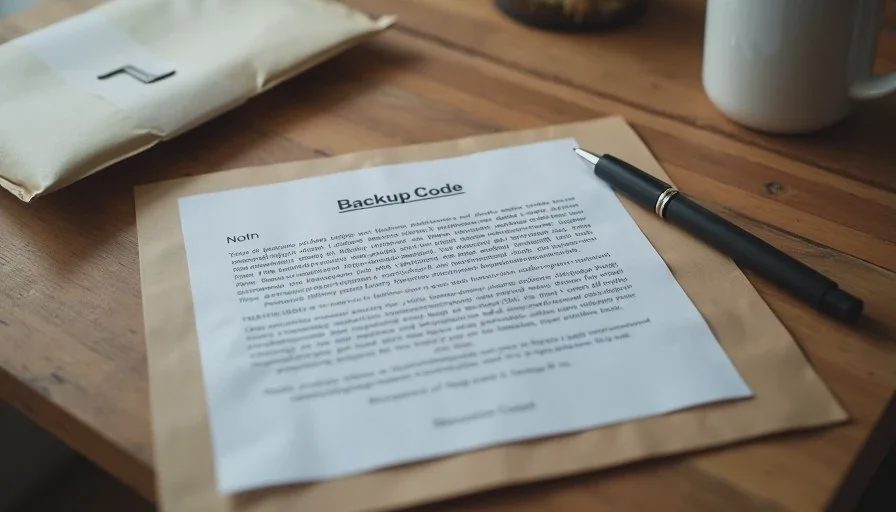
Save the backup codes in a place both adults can reach—password manager shared vault or a paper copy in a file drawer.
Confirm that the second adult can complete a login using the new method.
Stop. Do not try to secure every account in one sitting.
That short start protects the account that unlocks most of the others and proves the method works for more than one person.
Ranking Two-Factor Options by Family Friction
The list below runs from lowest everyday friction to highest, based on real household use rather than pure cryptographic strength.
1. Authenticator App (Lowest Everyday Friction for Most Families)
An authenticator app on each adult’s phone generates a short code that changes every thirty seconds. Setup is straightforward on most major sites. Once both adults have the app and the shared accounts are added, either person can approve a login without waiting for a text message or hunting for a physical key.
Friction points that remain: both adults need the app installed and the account added; a phone that is completely dead or left at home can still block access. These are manageable with backup codes and a second device.
Best for: email, banking, school portals, shopping accounts, and most cloud services.
2. Push Notification from a Trusted App
Some services send a simple “Is this you?” notification to a trusted phone. Tapping “Yes” completes the login. The interaction is faster than typing a code and feels natural to most people.
Friction points: the trusted phone must be on and connected; some implementations still fall back to SMS if the push fails. Still low friction for families who keep their phones nearby.
Best for: services that already offer a polished push experience and that the family uses daily.
3. Hardware Security Key (Low Friction After Setup, Higher Setup Cost)
A physical key plugged into a computer or tapped on a phone provides strong protection with a single gesture. After the initial registration, daily use is quick.
Friction points: the key must be present; losing the only key can lock the family out unless backup keys or backup codes are arranged; setup on multiple devices takes more time than an authenticator app. For households willing to keep two keys in separate places, the everyday friction is low and the security is high.
Best for: the two or three highest-value accounts (primary email, password manager, main financial institution).
4. SMS Text Messages (Higher Friction and Lower Reliability)
A code arrives by text message. Almost every site supports it, which is why it remains common.
Friction points: delays or failed delivery; number changes; SIM-swap risk; the phone must have signal; international travel often breaks it. Families who rely solely on SMS frequently turn two-factor off after repeated delivery failures.
Use only when no better method is offered, and move away from it when the site adds authenticator-app support.
5. Email as the Second Factor (Highest Everyday Friction)
Some sites still send a code or approval link to the account’s email address. This creates circular dependency if the email account itself is the one being protected, and it is slow compared with an app or a key.
Avoid as a primary method whenever possible.
Time, Cost, Difficulty, and Risk
Time: Protecting the primary email and two or three other high-value accounts with an authenticator app usually takes thirty to forty-five minutes. Adding hardware keys to those same accounts takes another thirty minutes including backup-key registration.
Cost: Authenticator apps are free. A pair of basic hardware security keys costs less than the price of a family dinner and lasts for years.
Difficulty: Suitable for any adult who can install an app and follow on-screen prompts. The second adult must complete at least one successful login during setup so both people know the flow.
Risk: The largest practical risk is losing access to the second factor with no backup codes or backup key. Writing down and storing recovery codes offline removes most of that risk.
Who in the household can maintain it? Both adults should be able to generate or approve the second factor for shared accounts. One adult can own the initial setup and the periodic review of recovery codes.
A Practical Setup Order for Families
Primary email account (the one that receives password resets for everything else).
Password manager, if you use one.
Main banking or credit-union account.
School or medical portals that contain sensitive information.
Any shopping or cloud accounts that store payment methods.
Stop after these. Lower-value accounts can wait. Spreading the work across several short sessions produces higher completion rates than an ambitious attempt to secure every login in one evening.
Handling the Lost-Phone Problem
Every family that uses phone-based two-factor authentication will eventually face a lost, stolen, or broken phone. The recovery path must be arranged before that day arrives:
Save the official backup codes for each critical account in a shared password-manager vault or on paper in a file drawer.
Where hardware keys are used, keep a second key in a separate location.
Register a secondary phone number or secondary authenticator device on the accounts that allow it.
Test the recovery path once after setup. Finding out that the backup codes are unreadable or incomplete during an actual lockout is far more painful than a five-minute test on a calm evening.
Alternative Approaches When Standard Methods Feel Like Too Much
Some older adults prefer a printed sheet of backup codes stored with other important papers and used only when needed. That approach has higher friction on the day of use but very low ongoing friction. It can be a reasonable bridge until the person is comfortable with an authenticator app.
Households that already use a password manager with built-in two-factor features can often manage codes inside the same vault, reducing the number of separate apps.
Complete avoidance of two-factor authentication is still common. It leaves the accounts one password breach or phishing success away from takeover. For the primary email and financial accounts, the friction of a well-chosen second factor is almost always lower than the friction of recovering a compromised account.
A Real Household Example
A teacher and her husband had turned two-factor authentication off on their email accounts after SMS codes repeatedly failed to arrive during school hours. We moved both accounts to an authenticator app, saved the backup codes in their shared password vault, and had each of them complete a login on the other’s phone. Total time: about thirty-five minutes. Six months later the feature was still enabled and both adults had used the backup codes once when a phone was being repaired. The earlier SMS friction disappeared, and the accounts remained protected.
The same pattern appears across the families I work with. When the method matches the household’s actual tolerance for friction, it stays on.
Closing the Loop
Two-factor authentication protects the accounts that protect everything else. The best method for a family is the strongest one they will actually keep enabled through travel, lost phones, and busy weeks. For most households that method is an authenticator app on both adults’ phones, backed by printed or vault-stored recovery codes, with hardware keys added only to the two or three highest-value accounts.
Start with the primary email. Prove that both adults can complete the login. Save the backup codes. Then stop for the day. Additional accounts can be added later, one at a time, without overwhelming the household.
The next guide in this series walks through a calm, ordered response when an email address appears in a data-breach notification. Until then, open the security settings on your primary email account and look at the two-factor options it already offers. That single look is the beginning of a more durable setup.
Make it boring enough to work.


No comments yet.